
Making a new film#
On Home press New film, then choose Drama, Narrated film or Documentary at the top (see Dramas, Documentaries; episode by episode: Series).
1. The story#
- Upload a plain-text file (
.txt, any language, up to 2 MB), or pick a story already on the PC. - A story needs at least about 300 characters.
2. The settings page#
Every choice shows its effect on the cost estimate on the right before anything is spent.
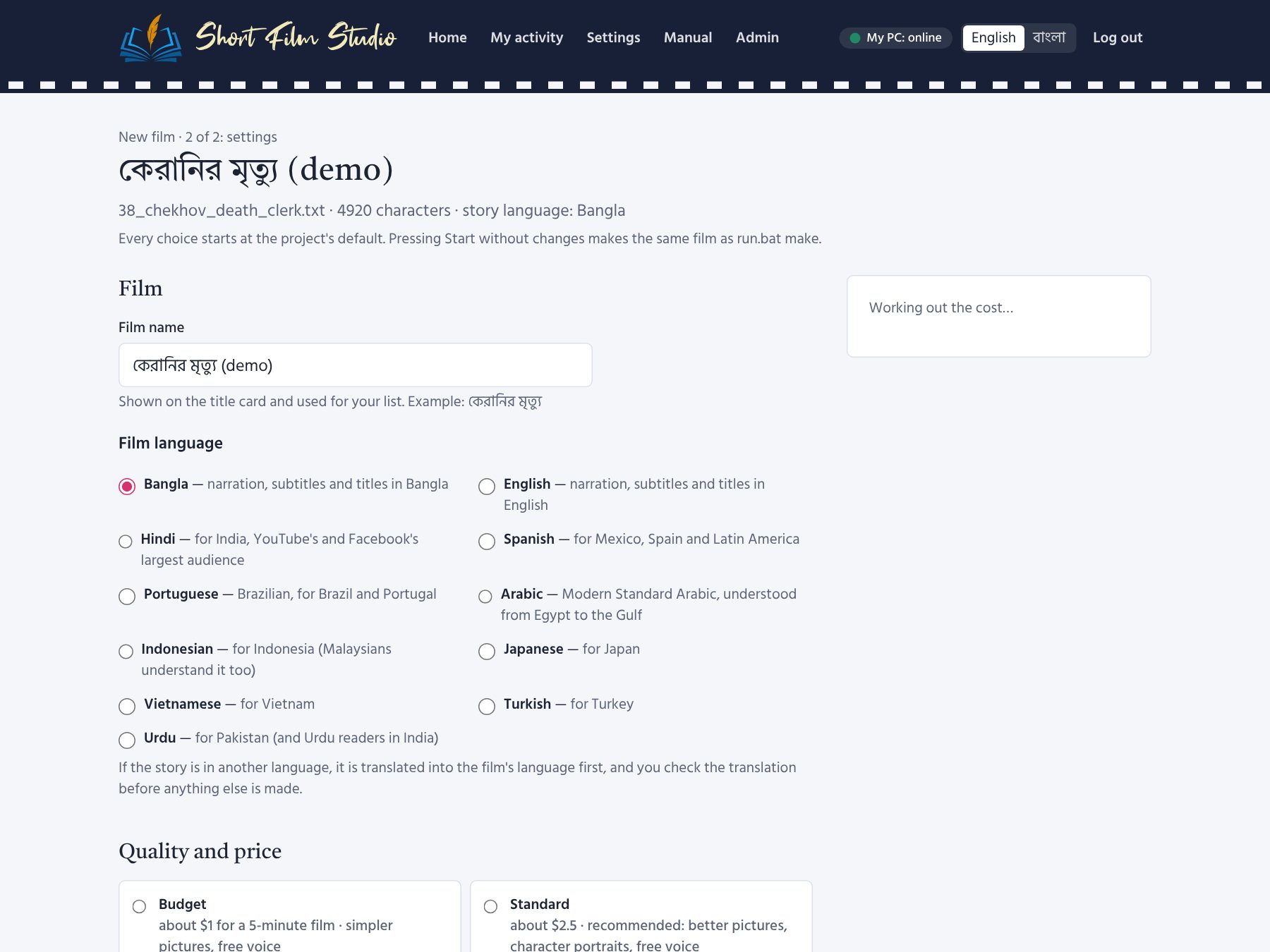
Film#
- Film name — for your list (the title card uses the script's title).
- Film language — Bangla, English, Hindi, Spanish, Portuguese (Brazil), Arabic, Indonesian, Japanese, Vietnamese, Turkish or Urdu. A story in another language is translated first and you check the translation.
Quality and price#
| Profile | About (5 min) | What you get |
|---|---|---|
| Budget | $1 | simpler pictures, free voice |
| Standard | $2.5 | better pictures, character portraits, free voice (recommended start) |
| Premium | $5.5 | best pictures and an expressive AI voice |
| Offline test | $0 | test pictures and a test tone |
Changing the profile resets the choices below to that profile's defaults, except the ones you changed.
Length and video size#
- Automatic length: the AI reads the plot and suggests 1.5–15 minutes; or set a fixed length.
- Video size: 1080p for YouTube (recommended), 720p, 2K, 4K; reels (vertical) for Shorts/Reels/TikTok; square and portrait for Instagram. Sizes of the same shape share their pictures.
How the pictures are painted#
Natural (cinematic painting, as before) is the default. Ready-made looks: Cartoon, Child's drawing,
Storybook watercolour, 3D animation, Pen and ink, Folk brush, Patachitra, Anime,
Oil painting, Comic book, Pencil sketch and Paper cut-out. Each card shows the same scene painted
in that style (once the admin has run run.bat styles --examples on the PC, about 13 pictures).
With Like my sample, upload a sample picture (JPG, PNG or WebP, up to 12 MB). The AI looks at it once and writes down its style (under a cent), and the sample goes along with every picture it paints — only its lines, colours and way of painting are taken, never its people or objects. Use a picture you are allowed to use.
The character portraits are painted in the same style. Each picture remembers its style: after you change the style, the pictures and portraits painted in another style are painted again (and paid for again) the next time the film is made.
Sample shots: not sure about a style? While the film waits for you on the Shots page (the script) or the Characters page (the portraits), press Paint sample shots: three shots spread over the film are painted in the chosen style (a few cents), and the film waits there again. Like them — continue, and only the other shots are painted. If not, change the style here and ask again: the same three shots are painted anew in the new style.
Pictures#
Appears when a finished film of the same story exists: Use the pictures of a film already made makes this language's film with that film's pictures (see The finished film).
AI#
- Writes the script — Gemini (default), Claude, OpenAI, OpenRouter, DeepSeek, Ollama (free, on the PC).
- Paints the pictures — Gemini, OpenAI, OpenRouter (GPT Image, Grok, FLUX, Seedream …), only your own pictures, or free test pictures.
- Draw each main character first — portraits keep faces the same in every shot (+4 pictures).
- An AI checks every picture — and paints a clearly wrong one again (see Pictures).
- If an AI has no balance left, use the next one that has a key — the film goes on instead of stopping.
- Second pass that polishes the narration — about $0.02.
Narrator#
The voice, its speed, how old it sounds, and (for Gemini voices) the reading style in your own words. Press ▶ Listen to hear a sample. Which voices sound most natural in each language, and what they cost, is in Voices. Tick The characters speak their dialogue in their own voices for an audio-drama feel.
Subtitles and music#
Subtitles burned into the picture or as a switchable track; music (one track or one per scene) and its volume; end credits; and whether the credits mention AI.
Your channel's intro#
Your channel's intro before the film: a short video of your channel — its name and logo — that plays first, with its own sound; then the title card and the film (the music starts after it). Choose one of your intros, or None. A new film takes the intro marked ★ default.
Your intros are under Settings → Intros: add a video (MP4, MOV or WEBM, up to 60 MB, best 4–10 seconds, landscape; at most 20 seconds are played), watch it, rename it, make it the default (★) or remove it. A film of another shape (Reels, square) shows the intro whole, with bands at the sides. To add it to a film already made, choose it here and press Make the film again.
Your channel's end card (Reels and vertical films): a short portrait video — your logo and name, “like, share, subscribe” — played at the end of every Reel / Short made from this film, and after the film itself when it is vertical (Reels, portrait). A landscape film ends with its credits as before. Add end cards under Settings → Intros → End cards (portrait, 1080×1920); the one marked ★ is the default for new films.
Film name: font and size#
Choose the font of the film's name on the title card, “The End”, the thumbnails and the Reel, and its size (60–160%); the preview below shows it at once. Only fonts with the letters of the film language are offered. “The film language's own” keeps it as before.
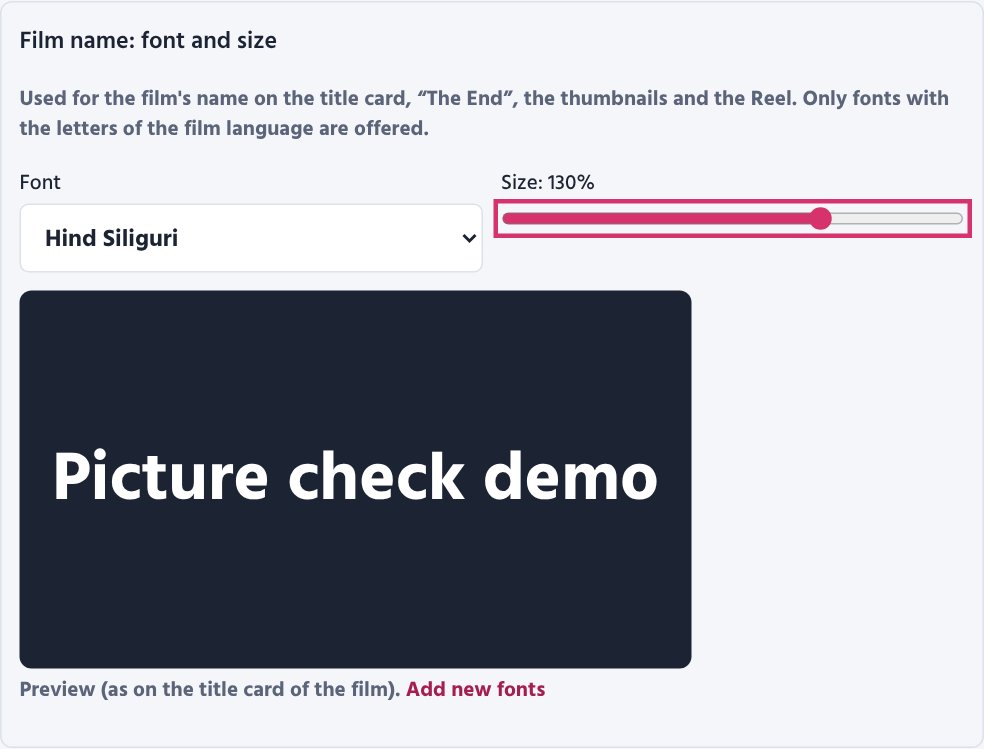
To add new fonts: add a .ttf or .otf file in Settings → Fonts (at most 15 MB; on a server only the
Admin can), or put the file straight into the Film_Studio\my_fonts\ folder. Use fonts whose licence allows them
in videos (for example Google Fonts). A film made by the Studio Agent takes its chosen font along to the PC.
The list shows each font by the name the video maker finds it by — it may differ from the file name or the
font's advertised name (for example “FN Dukkho Bilashi”). After changing the font press Make again: only the
title card, thumbnails and video are made again, with no AI cost.
Cost and checks#
- Budget limit — the film stops before spending more than this.
- Approve the translation without checking it — off by default (recommended).
- Check the translation with a second AI — lists omissions, wrong meanings and name spellings.
- Stop for the length / script / portraits — the review stops (see Checks during making).
Press Save to keep the settings, or Start to begin.