
Voices#
The four kinds of voice#
| Kind | Sounds | Follows directions | Cost |
|---|---|---|---|
| Gemini (expressive) | understands the meaning: emphasis, emotion, pauses | yes — style, age, your own words | about $0.015 / min |
| Sarvam Bulbul | most native Bangla and Hindi pronunciation (Kolkata accent) | speed only | about $0.03 / min |
| Google Chirp 3 HD | natural in English and many languages; weaker in Bangla | speed only | 1 M characters/month free |
| Free (Microsoft Edge) | clear but flat, like a news reader | speed and pitch | $0 |
Most natural by language#
- Bangla: Gemini, then Sarvam. Chirp and the free voices sound less natural in Bangla.
- Hindi: Gemini, Sarvam and Chirp.
- Other languages: Gemini and Chirp.
The settings page shows this advice under the voice list for the language you choose.
A 7-second sample does not tell the whole story: try a short test film with the voice you like, using free test pictures — it costs only a few cents and you hear it on your own text.
Voice options#
- Speed — slower or faster than normal.
- How old the voice sounds — young, middle-aged or old (Gemini is told; free voices change pitch and speed).
- Reading style in your own words — for Gemini voices, in any language, e.g. a tired old village storyteller.
- Gemini model — 3.8 Flash (most natural, recommended), 3.8 Flash-Lite (cheapest), or the older 3.1.
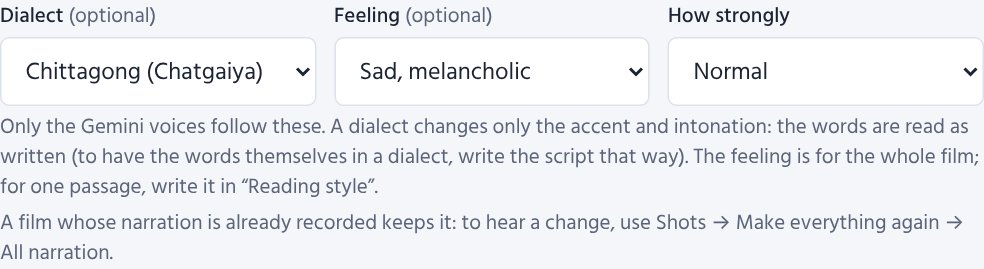
- Dialect (Bangla films, Gemini voices, optional) — Old Dhaka, Chittagong, Sylheti, Barishal or Varendri/Rajshahi. Only the accent and intonation change: the words are read as written. To have the words themselves in a dialect, write them that way on the Script page.
- Feeling and How strongly (Gemini voices, optional) — happy, sad, excited, tender, firm or calm, subtle to strong, for the whole film. For one passage only, describe it in Reading style in your own words. A film whose narration is already recorded keeps it: to hear the change, press Shots → Make everything again → Outdated narration (only those shots are recorded again, and paid again).
An AI listens to the narration#
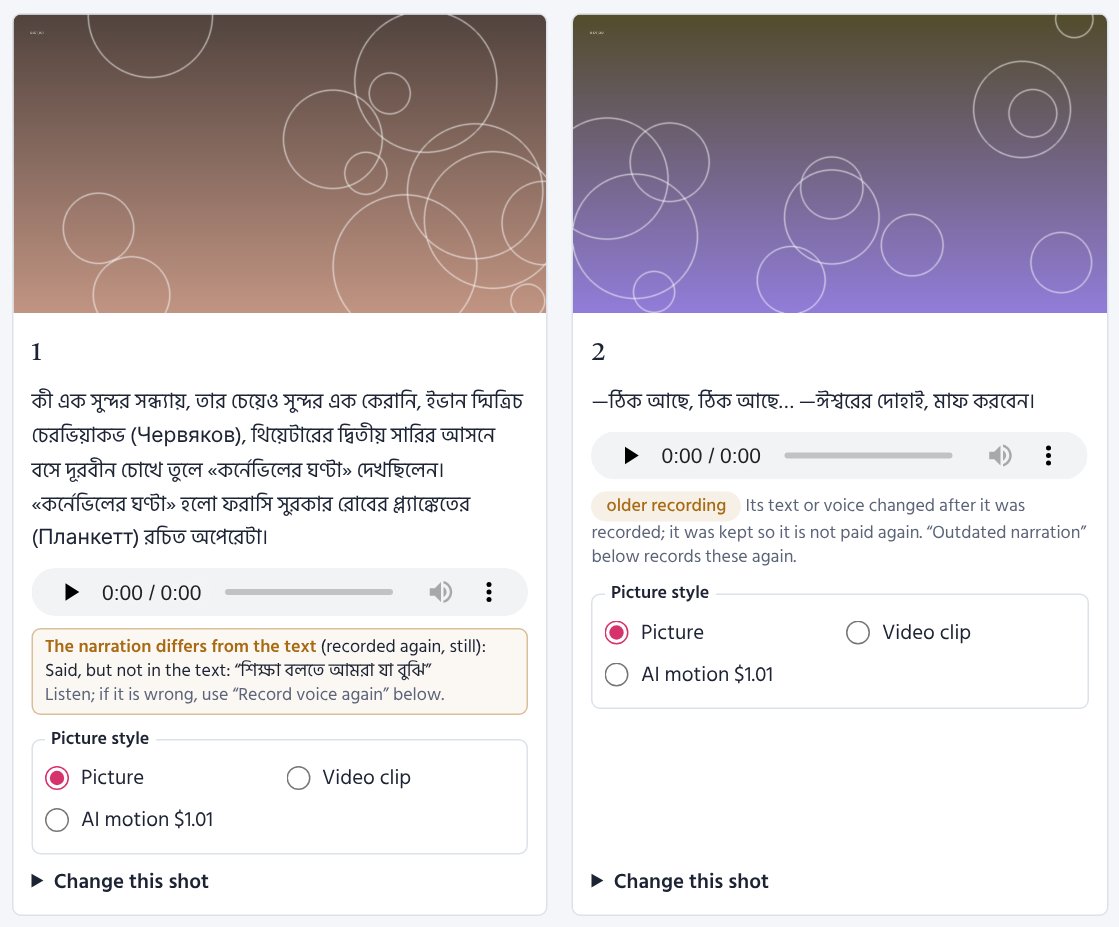
An expressive voice now and then says words that are not in the text, or leaves some out. So an AI listens to every new recording made with a Gemini voice and compares it with its text. A shot that is clearly wrong is recorded once more and the better recording is kept (a fraction of a cent per shot; small differences of pronunciation do not count). If it is still wrong, the Shots page says so under the shot — what was said that is not in the text, or what was left out — and Record voice again makes it once more.
The AI writes down what it hears, and the words are compared with the text here, word by word, so an old-style (সাধু) word heard a little differently is not counted; a recording heard wrong is listened to a second time before it is recorded again. If the AI still heard a correct recording wrong, press ✓ The recording is right under the warning: it goes away for that recording (a new recording is listened to again).
One voice throughout. Each shot is recorded on its own, and now and then one comes out a little higher, lower, brighter or duller than the rest — most often where the feeling of the lines is strong. So after the narration the voice of every shot is measured (free, on your computer); a shot that sounds clearly unlike the others is recorded once more and the take closer to the others is kept. Each shot is tried only once. In a poem, the recitation director also keeps one narrator's voice from the first line to the last: the feeling of a stanza shows only in the pace, the pauses and the words leaned on — never in a character's or a changed voice. Where a character's own words are quoted (“'Oh! I am dying of cold …'”), the same voice rises a little — slightly higher and livelier — only for the quote, as a good reciter does; the Shots page marks such a shot, and the voice-match check leaves it (and any shot with your note) as it is.
A recording kept although its text or voice was changed later (so as not to pay twice) is marked older recording on the Shots page; Make everything again → Outdated narration records only those again.
Characters in their own voices#
With The characters speak their dialogue in their own voices on:
- After the script is written, the AI finds the words each character says aloud and describes the voice each needs: female or male; child, young, middle-aged or old; warm, soft, calm, firm, lively or gruff.
- A voice is recommended for each — never the narrator's, a different one per character while there are enough, and from a kind that sounds natural in the film's language (when the narrator's kind does not, the most natural kind you have a key for; then only the dialogue costs that voice's price).
- On the Characters page you can listen and choose another voice for any character.
- The narrator reads everything else. The words are never changed.
Poems: recite like a sample#
On a poem film's settings page, upload a sample recitation (MP3, WAV, M4A …, a minute or two is enough). The AI listens once (needs a Gemini key; a fraction of a cent) and the voice recites every shot in that style — pace, mood, pauses. It is the style that is copied, not the person's voice.
The AI also hears the reciter's gender, age and manner and lists the nearest voice of each kind, the most natural for the language first. Listen to the sample and recommend voices shows them right away; Use this voice makes it the narrator.
Reciters and the recitation director#
Reciters (Settings → Reciters, also from a poem film's settings page): a reciter of your own — one voice, one manner (e.g. "slow, deep, warm; every line ends softly"), a speed, the pause after a stanza and the lessons of earlier films. Choose one under Narrator on a poem film's settings page: its voice becomes the film's voice, and its manner and lessons go into every shot's direction — so every poem sounds like the same reciter.
A reciter learns in two ways: - From a recitation you like: upload it as a poem film's sample recitation; once the AI has listened, press Teach a reciter this style. - From your notes: on the Shots page, write A note for the reciter under a stanza ("softer, almost a whisper"). Only that stanza is recorded again with it (when the film is made again); ticked, the note becomes a lesson of the reciter for every later film.
The recitation director (on for every poem film; a cent or two a poem): before recording, an AI reads the whole poem — its metre (স্বরবৃত্ত, মাত্রাবৃত্ত, অক্ষরবৃত্ত …), where the feeling turns, which words carry the meaning — and writes a direction for every stanza (mood, pace, the words to lean on, how to carry the lines) and the pause after it. The Shots page shows the metre and the poem's mood at the top, and each stanza's direction under it. The Gemini expressive voices follow the directions most closely; the other voices take the pace and the pauses. A film in your own recitation needs no director.
Poems: your own recitation as the film's voice#
To make a film from a recitation you recorded earlier: start the film with the poem's text (.txt), upload the recitation on the settings page, tick Use this recording itself as the film's voice and Save (or Start).
- No voice is made or paid for.
- The film maker finds where each line is said by the pauses between lines (free, no AI): the lines' lengths and the pauses' lengths together decide — the long pause between stanzas parts them, a short breath inside a line stays inside it.
- Each picture comes just before its stanza begins, and each subtitle shows while its lines are said. The recording stays exactly as it is — no added silence, no change of loudness.
- The text and the recording must have the same words, line by line, with an empty line between stanzas. With loud music under the voice the pauses are hard to hear; then the lines are timed by their length.
- After the film is made, open Where the lines were found in your recording on the settings page to see each
line's time. If one is in the wrong place, correct the text, or change the times in
work/<poem>/04_recitation.jsonon your PC, add"fixed": true, and make the film again.
আবৃত্তি স্টুডিও: your own recitation, polished#
It is a program of its own on the PC: double-click F:\ABRITTI_STUDIO\Abritti_Studio.bat and it opens a window
of its own (it needs only Python and ffmpeg). Everything happens on the PC (nothing is sent anywhere, nothing is
paid), and your recording is never changed.
- Record (the poem shown large beside you), open a recording, or open a film's recitation.
- Editing: choose a part and cut it, keep only it, make it softer/louder or silent; add a pause, trim the silence at the ends, shorten long pauses; undo (Ctrl+Z).
- Cleaning and repair (room noise, hum, clicks, breaths), tone, even loudness, space, speed and pitch, volume and fades — and ready-made settings and your own.
- Save as WAV or MP3. Make it this film's recitation gives it to a poem film as its own recitation (the one
before is kept in that film's
_beforefolder); then make the film again — the website gets the new recitation with the next run on this PC. - The whole manual, with pictures (in Bangla): ❓ সাহায্য at the top of the studio.
Pronunciation list#
When the voice says a name or a borrowed word wrong, write it under Settings → Pronunciations — one word a line, as it is written, then "=", then how it should sound:
চেখভ = চেকভ
ছুটিল! = ছুটিলো
Ivan = ঈভান
# a line starting with # is a note
The list is used in all your films. A word is found at the start of a word, so its endings are covered too
(চেখভের → চেকভের). For a word that begins other words, end it with ! to change the whole word only:
ছুটিল! = ছুটিলো changes ছুটিল (and ছুটিল।), never ছুটিলেন or ছুটিলাম — useful for the sadhu-bhasha verbs (হইল,
উড়িল, আসিল …) that a voice cuts short (ছুটিল্). Only what the voice says changes — subtitles and the script keep the words as written. After a
change, a film already made records again only the shots with those words (when it is made again). On the
command line: pronunciations.txt in the film maker's folder (every film) or my_voice/<story>/pronunciations.txt
(one film).
Listening samples#
The ▶ Listen buttons play short samples made once on the PC with run.bat voices --samples.
On a server, copy Film_Studio/assets/voice_samples there too.